A digital RPM meter is an essential tool for anyone working with motors, fans, or rotating machinery. RPM, or revolutions per minute, is a key parameter that indicates how fast a shaft or wheel is spinning. Traditional analog tachometers are often bulky and less accurate, but with the help of modern electronics, it’s now possible to build a compact, precise, and affordable digital RPM meter using Arduino.
In this project, we will create a DIY digital RPM meter that measures the rotational speed of a motor or any rotating object using an IR sensor. The setup uses a reflective IR module to detect each revolution, and an Arduino processes the signal to calculate the RPM. The measured value is then displayed clearly on a 16×2 I2C LCD screen, making it easy to monitor speed in real time. For better usability, an LED indicator is also added to provide a quick visual cue whenever a revolution is detected.
This project is perfect for students, hobbyists, and engineers who want to learn about RPM measurement, Arduino programming, and sensor integration. Whether you’re testing small DC motors, cooling fans, or mechanical shafts, this digital RPM meter will give you accurate and reliable results.
If you are interested in exploring more Arduino-based measurement tools, check out our detailed guide on building a Digital Tachometer Using Arduino and IR Sensor.
What is a Digital RPM Meter?
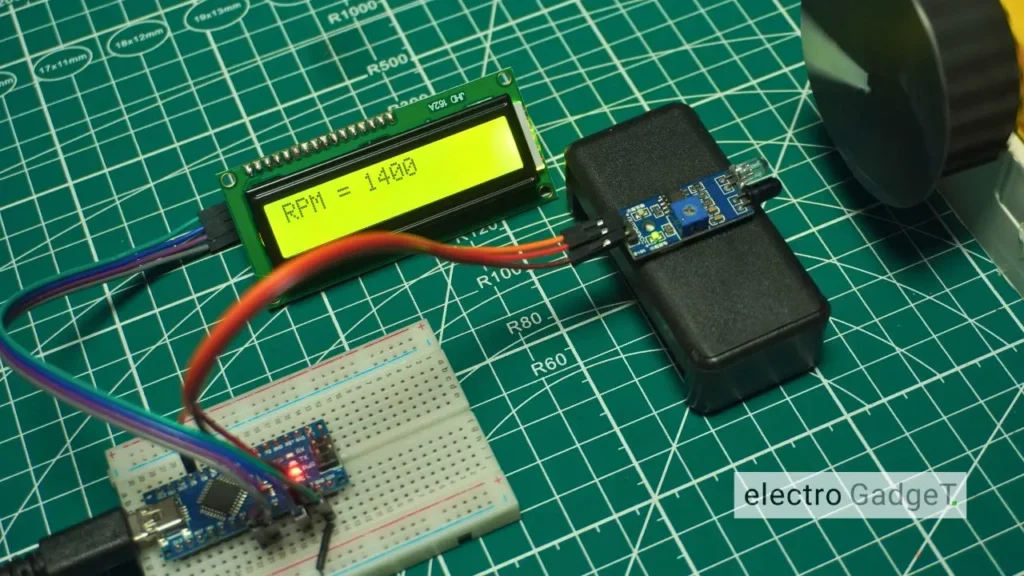
A digital RPM meter is an electronic device that measures the revolutions per minute (RPM) of rotating objects like motors, fans, or wheels. It works by using sensors such as an IR module or Hall-effect sensor to detect rotations, and a microcontroller like Arduino processes the signals to calculate speed. The result is displayed on an LCD or LED screen for easy reading. Compared to analog meters, a digital RPM meter offers higher accuracy, faster response, and a user-friendly design, making it ideal for both industrial applications and DIY projects.
Importance of Measuring RPM in Motors and Machines
Measuring the RPM (Revolutions Per Minute) of motors and machines is crucial in both industrial and DIY applications. RPM directly indicates the rotational speed of a shaft, fan, or motor, which affects the overall performance, efficiency, and safety of the system. By using a digital RPM meter, engineers and hobbyists can monitor speed accurately and make necessary adjustments to improve operation.
In motors, knowing the exact RPM helps in evaluating whether the motor is running at its rated speed or experiencing overload conditions. This prevents overheating, excessive wear, and energy loss. In machines like fans, pumps, and conveyors, RPM measurement ensures smooth operation and prevents mechanical failures caused by imbalanced speed.
For DIY electronics and academic projects, measuring RPM provides hands-on experience in working with sensors, microcontrollers, and speed control techniques. It is also essential in industries like automotive, robotics, and manufacturing, where precise motor control is required for automation.
In short, RPM measurement is vital for performance optimization, fault detection, and preventive maintenance. A digital RPM meter makes this process simple, accurate, and user-friendly, making it an indispensable tool for anyone dealing with rotating machines.
Difference Between Analog and Digital RPM Meter
| Feature | Analog RPM Meter | Digital RPM Meter |
|---|---|---|
| Display Type | Uses a needle or dial to show RPM | Shows RPM value on an LCD or LED display |
| Accuracy | Moderate, can be affected by human error in reading | Highly accurate, displays exact RPM value |
| Ease of Reading | Requires manual observation, may be difficult at higher speeds | Easy to read with clear numerical values |
| Response Time | Slower, mechanical lag may occur | Fast, real-time RPM measurement |
| Durability | Sensitive to vibration and mechanical wear | More durable as it uses electronic components |
| Calibration | Requires frequent manual calibration | Less frequent calibration needed |
| Cost | Generally cheaper but less precise | Slightly higher cost but offers precision |
| Applications | Suitable for basic, low-precision tasks | Ideal for industrial, academic, and DIY projects |
| User Experience | Traditional, less user-friendly | Modern, compact, and easy to integrate with Arduino and sensors |
Circuit Diagram
Components Required
- Arduino Nano [https://amzn.to/43JiD0X]
- 16×2 LCD Display (I2C Module) [https://amzn.to/4mQ6TTe]
- IR Sensor Module [https://amzn.to/4guvhqJ]
- Red LED [https://amzn.to/45aP3Cp]
- Breadboard and Jumper Wires [https://amzn.to/3U17ZOT]
- 3.7V Lithium-Ion Battery [https://amzn.to/4p1Iqvj]
- Battery Holder [https://amzn.to/48lPs83]
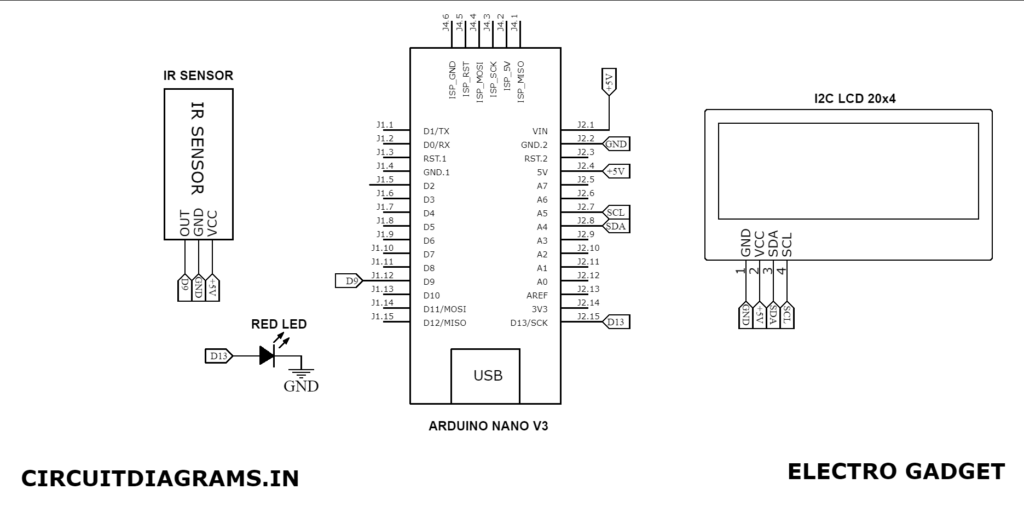
Circuit Connection for Digital RPM Meter
Now then, after assembling the above-mentioned components we have to do the following connection to design the digital RPM meter which uses IR Sensor with Arduino to measure the RPM.
| Arduino Pin | LCD Display Pin |
|---|---|
| A4 | SDA |
| A5 | SCL |
| +5V | VCC |
| GND | GND |
| Arduino Pin | IR Sensor Pin |
|---|---|
| D3 | OUT |
| +5V | VCC |
| GND | GND |
About Parts of the Digital RPM Meter
Infrared Sensor
An infrared sensor is an electronic instrument which is used to sense certain characteristics of its surroundings by either emitting and/or detecting infrared radiation. Infrared sensors can also measure the heat being emitted by an object and detect motion.

The wavelength region which ranges from 0.75 to 3µm is known as the near-infrared region. The region between 3 and 6µm is known as the mid-infrared and infrared radiation that has a wavelength greater or higher than 6µm is generally called far-infrared
An IR sensor is made of an IR LED and an IR Photodiode; together they are called Photo–Coupler or Opto–Coupler. As we know, the Infrared Obstacle Sensor has a built-in IR transmitter and IR receiver. An infrared Transmitter is a light-emitting diode (LED) that emits infrared radiation. Hence, they are called IR LEDs. Even though an IR LED looks the same as a normal LED, the radiation emitted by it is invisible to the human eye.
Infrared receivers can also be used as infrared sensors because they detect radiation from an IR transmitter. IR receivers come in the form of photodiodes and phototransistors. Infrared Photodiodes are a whole other thing than standard photodiodes as they detect only infrared radiation. When the IR transmitter emits radiation and it reaches the object, some of the radiation is reflected back to the IR receiver. Based on the intensity of the reception by the IR receiver, the output of the sensor is defined.
For how to build your own Infrared Sensor Module, please visit this link.
Working Principle of Digital RPM Meter
Sensor Detection and Signal Processing
The IR sensor module plays a crucial role in detecting the rotation of the motor or any rotating object. A reflective surface or a small mark on the shaft passes in front of the sensor once per revolution. Each time this happens, the sensor generates a digital pulse. The Arduino receives these pulses and counts them over a fixed time interval, ensuring accurate signal processing for RPM measurement.
RPM Calculation Formula
Once the pulses are counted, the Arduino uses a simple formula to convert them into revolutions per minute (RPM). The basic formula is:
[ RPM = frac{text{Number of Pulses} times 60}{text{Time Interval (in seconds)}} ]
In this project, the code simplifies the process by using loops and timing functions to automatically calculate RPM based on the sensor’s input.
Displaying RPM on LCD
After the RPM is calculated, the result is displayed on a 16×2 I2C LCD screen. The LCD provides a clear and user-friendly interface, showing the motor speed in real time. Additionally, an LED indicator blinks with every detection, giving a quick visual cue that the sensor is working properly. This makes the digital RPM meter both practical and easy to use.
Source Code
To run and compile the below code you have to install this library to the Arduino IDE software.
#include <Wire.h>
#include <LiquidCrystal_I2C.h>

LiquidCrystal_I2C lcd(0x27, 16, 2);

#define ir_sensor 9   // IR sensor moved to pin D9
#define led 13        // LED pin for detection indication

int delay1()
{
  int i, j;
  unsigned int count = 0;
  for (i = 0; i < 1000; i++)
  {
    for (j = 0; j < 1000; j++)
    {
      if (digitalRead(ir_sensor))
      {
        count++;

        // Blink LED on detection
        digitalWrite(led, HIGH);
        delay(50);               // small blink
        digitalWrite(led, LOW);

        while (digitalRead(ir_sensor)); // wait until object passes
      }
    }
  }
  return count;
}

void setup()
{
  pinMode(ir_sensor, INPUT);
  pinMode(led, OUTPUT); // LED pin
  lcd.init();
  lcd.backlight();
  lcd.print(" Electro Gadget ");   // Starting text
  delay(2000);
}

void loop()
{
  unsigned int time = 0, RPM = 0;

  lcd.clear();
  lcd.print("Reading RPM....");
  time = delay1();

  lcd.clear();
  lcd.print("Please Wait...");
  RPM = (time * 12) / 3;   // RPM calculation
  delay(2000);

  lcd.clear();
  lcd.print("RPM = ");
  lcd.print(RPM);
  delay(5000);
}Video Tutorial
Step-by-Step Testing of Digital RPM Meter
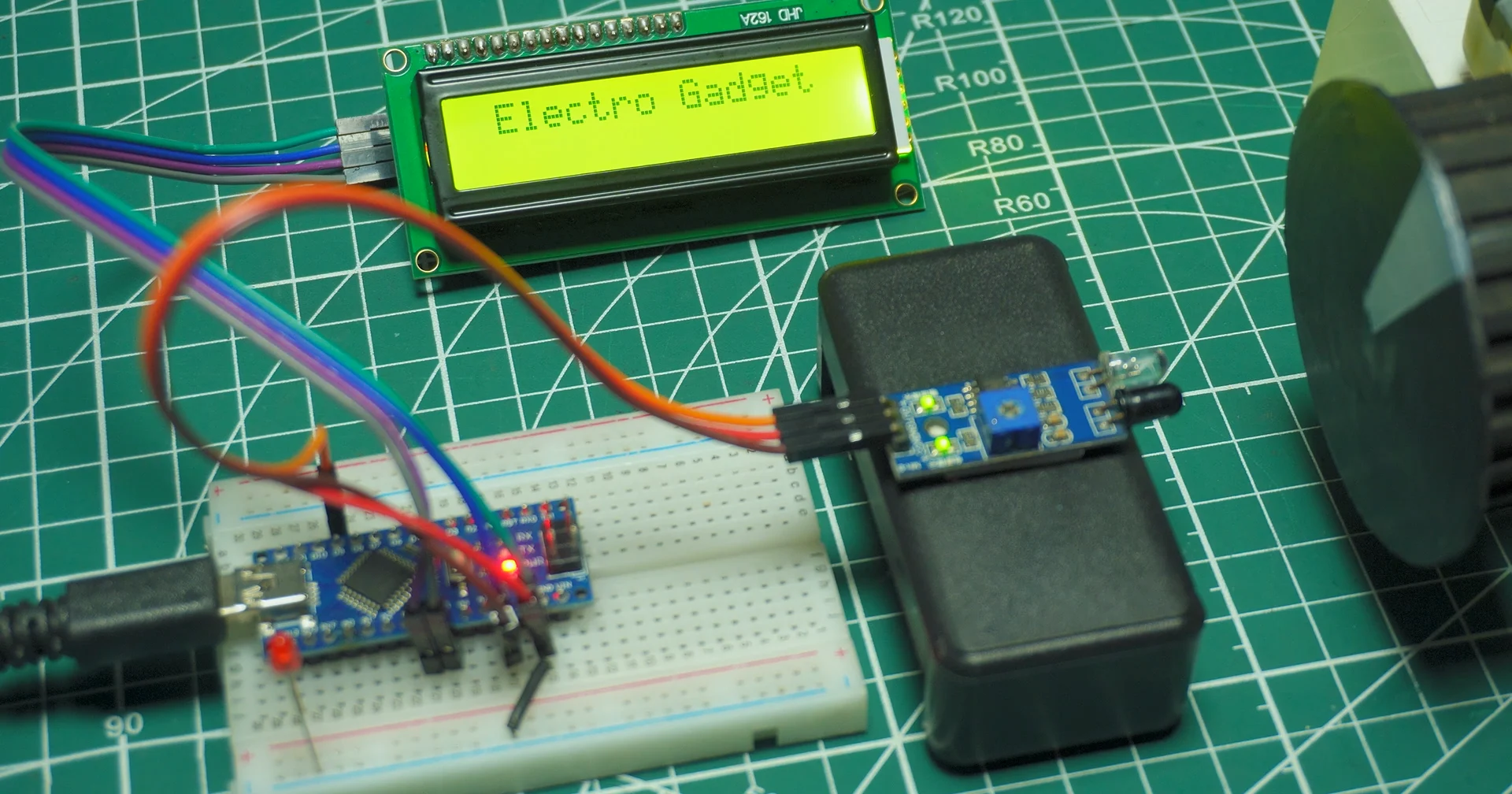
Startup Screen
- LCD shows: Electro Gadget
- This confirms the Arduino and LCD are working properly.
Reading RPM
- LCD shows: Reading RPM….
- At this stage, the IR sensor is detecting rotations, the LED blinks for each detected revolution, and the Arduino is counting pulses.

Processing
- LCD shows: Please Wait…
- Arduino calculates RPM using the formula (time * 12) / 3 (based on your code).

Final RPM Display
- LCD shows: RPM = 1672
- Where 1672 is the measured RPM value. This confirms the system is working and the reading is complete.

Applications of Digital RPM Meter
- Automotive Diagnostics: Monitor engine speed to ensure safe and efficient operation.
- Industrial Machinery: Measure RPM of motors, conveyor belts, and rotating shafts for optimal productivity.
- DIY Electronics Projects: Test small DC motors, cooling fans, and robotics components with precision.
- Educational Purposes: Help students and beginners understand motor dynamics, sensors, and Arduino programming.
- Quality Control: Ensure motors and mechanical parts operate within the desired speed range.
- Preventive Maintenance: Detect irregular motor speeds early to avoid breakdowns.
- Real-Time Monitoring: Display RPM in real time on an LCD or other interface for instant feedback.
Advantages of Using Digital RPM Meter
- High Accuracy: Provides precise measurement of rotational speed compared to analog meters.
- Real-Time Monitoring: Displays RPM instantly on an LCD or digital screen for immediate feedback.
- Easy Integration: Works seamlessly with Arduino, microcontrollers, and other DIY electronics projects.
- Compact and Portable: Small form factor makes it easy to use in labs, workshops, or field applications.
- Versatile Applications: Suitable for motors, fans, robotics, automotive engines, and industrial machinery.
- Durable and Reliable: Fewer moving parts than mechanical tachometers, reducing wear and tear.
- User-Friendly: Simple setup with visual indicators like LED blinks for each revolution.
- Data-Driven Adjustments: Helps in calibrating motors and improving performance in projects.
Final Thoughts
The DIY digital RPM meter is a simple and effective project that provides accurate motor speed measurements. Using Arduino and an IR sensor, it’s perfect for DIY projects, robotics, and automotive applications. With real-time readings on an LCD and LED indicators, it’s easy to monitor performance. Compact, customizable, and educational, this project is ideal for hobbyists and students looking to explore electronics and motor dynamics.